Separate Shopify online and in-store sales

Your combined sales total can rise while online sales fall. For a Shopify online vs in-store sales review, start by looking at each channel separately. By the Numbers now lets you pick a sales channel above your dashboard cards, including Point of Sale.
That gives you a place to start a more useful conversation: which part of the business needs attention?
Why separate online and in-store sales?
A combined total answers how the business performed overall. It can hide a different story in the channels underneath.
Imagine you ran a weekend event while your online store traded as usual. The event was busy, and combined sales finished ahead of the previous weekend. You might reasonably feel that the business had a stronger week.
But perhaps online sales were lower, with the event making up the difference. That changes your next question. You would want to understand the online decline before treating the combined increase as evidence that both channels improved.
The channels can support each other while serving different shopping needs. A customer might want to try something in person, then order another item online later. Separate results help you review each channel without losing sight of the whole business.
If you are still choosing what belongs in your regular review, the Shopify analytics guide gives the wider context.
Pick one channel above your dashboard cards
Use the sales channel picker in the dashboard filter bar to narrow the cards to one channel. For example, choose Point of Sale when your question concerns sales made through your physical checkout.
To start:
- Open Dashboards and choose the dashboard you want to review.
- Set the date range for the period you want to understand.
- Find the sales channel picker in the bar above the cards.
- Select Point of Sale or the channel you want to examine.
The change puts the channel choice at the dashboard level. You can read the cards together while keeping that channel in focus.
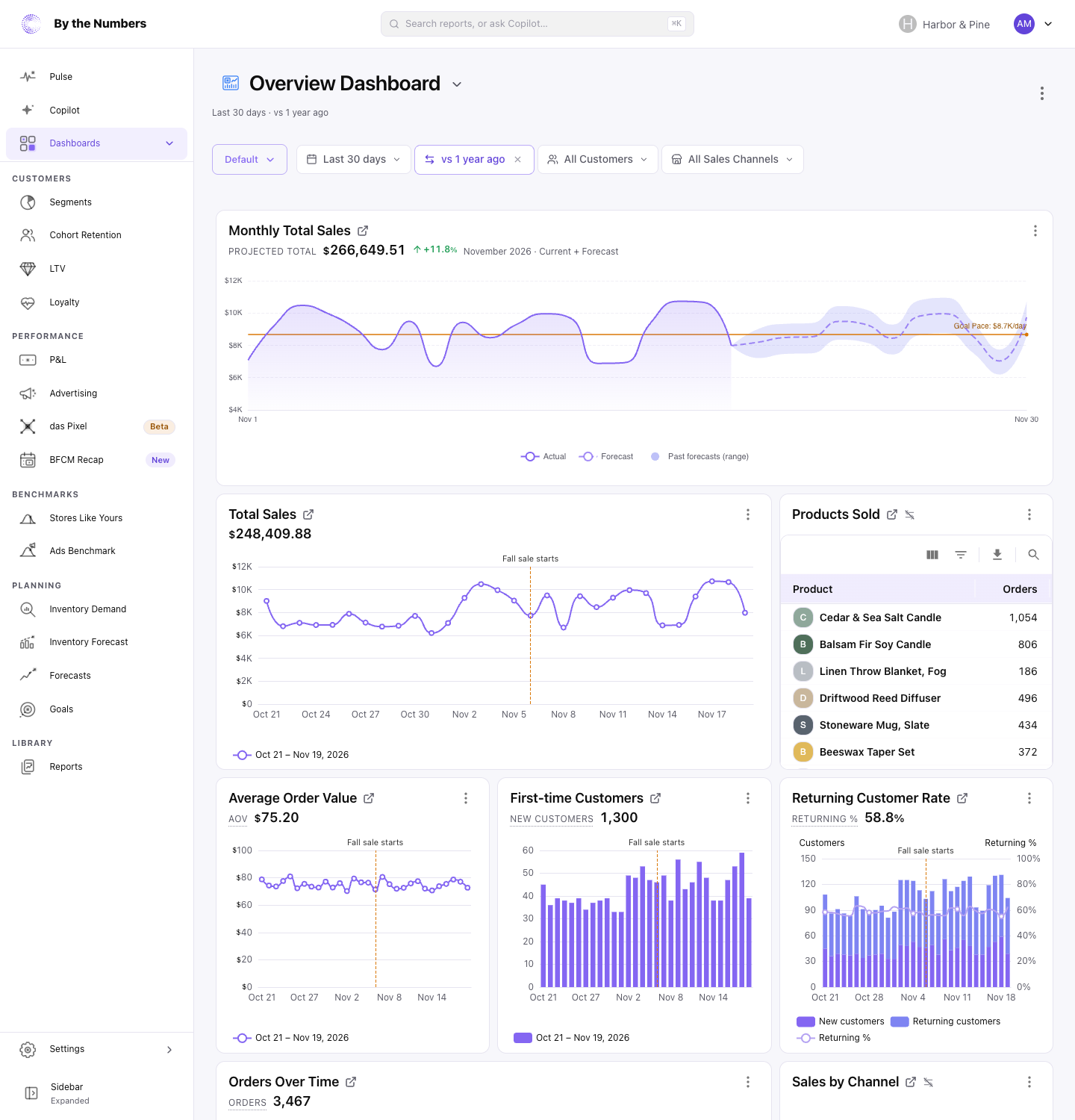
The dashboard help article explains the filter bar and the dashboard controls. The screenshot shows where to look; use your own store's results for the comparison.
If your current review feels hard to follow, start with which Shopify reports to change first.
Dashboards are part of the ecommerce reporting tools, so this fits into a review built around your chosen cards.
Use the difference to choose your next question
Read the channel results as a prompt to investigate. A stronger sales total alone does not explain what changed.
For the weekend event example, look at Point of Sale for the event dates. Then review Online Store for the same dates. Keep the period consistent so you are asking about the same trading window.
For a comparison with an earlier period, consider whether the trading conditions were similar. A weekend with a promotion, different opening hours, or a holiday may deserve a separate note. Otherwise, the apparent change can send your attention toward the wrong problem.
Start with these questions:
- Did the channel take more orders, or did customers spend more per order?
- Was a promotion running in one channel but not the other?
- Did staffing, opening hours, or available stock change during the period?
- What did customers ask for that they could not find or buy?
Use your answers to choose a follow-up. If orders weakened online, inspect what changed in your offer or storefront. If the event sold well, ask staff which products drew interest and which questions kept coming up.
Before repeating the event, review its costs too. Strong sales do not settle whether the event was worth its staffing and space costs. Likewise, shipping costs matter when judging the value of online orders.
For a follow-up event, keep the product selection and opening hours similar where practical. Decide beforehand what would make another event worthwhile, then compare the outcome with that question in mind.
Keep a short note of the channel, period, observation, and next action. A monthly reporting pack can help turn those observations into a consistent review.
Keep channel sales separate from marketing credit
A sales channel tells you where an order was placed. It does not, by itself, explain what persuaded someone to buy.
Someone who saw your marketing could later purchase at your counter. A satisfied shop visitor could return through the website. Treat a channel difference as something to understand before using it to justify a marketing budget change.
Start with one question in your next review: did online and physical sales move in the same direction? Choose a channel, read its results, then write down what you need to check next.
Keep reading
If you want the full picture on Shopify analytics and reporting, start with our complete Shopify analytics guide.
Related reading: Compare Shopify reports: Check your filters, Set up Shopify reports from a conversation and Shopify reports limitations: What to change.
By the Numbers builds this into the dashboard. See Shopify analytics reporting.
See what is working in your Shopify store
By the Numbers turns your store data into reports, segments, and forecasts.
- AI-powered analytics
- Customer segmentation
- Predictive forecasting
- One-click Shopify install