Shopify P&L
Know your margin, and which parts are estimates.
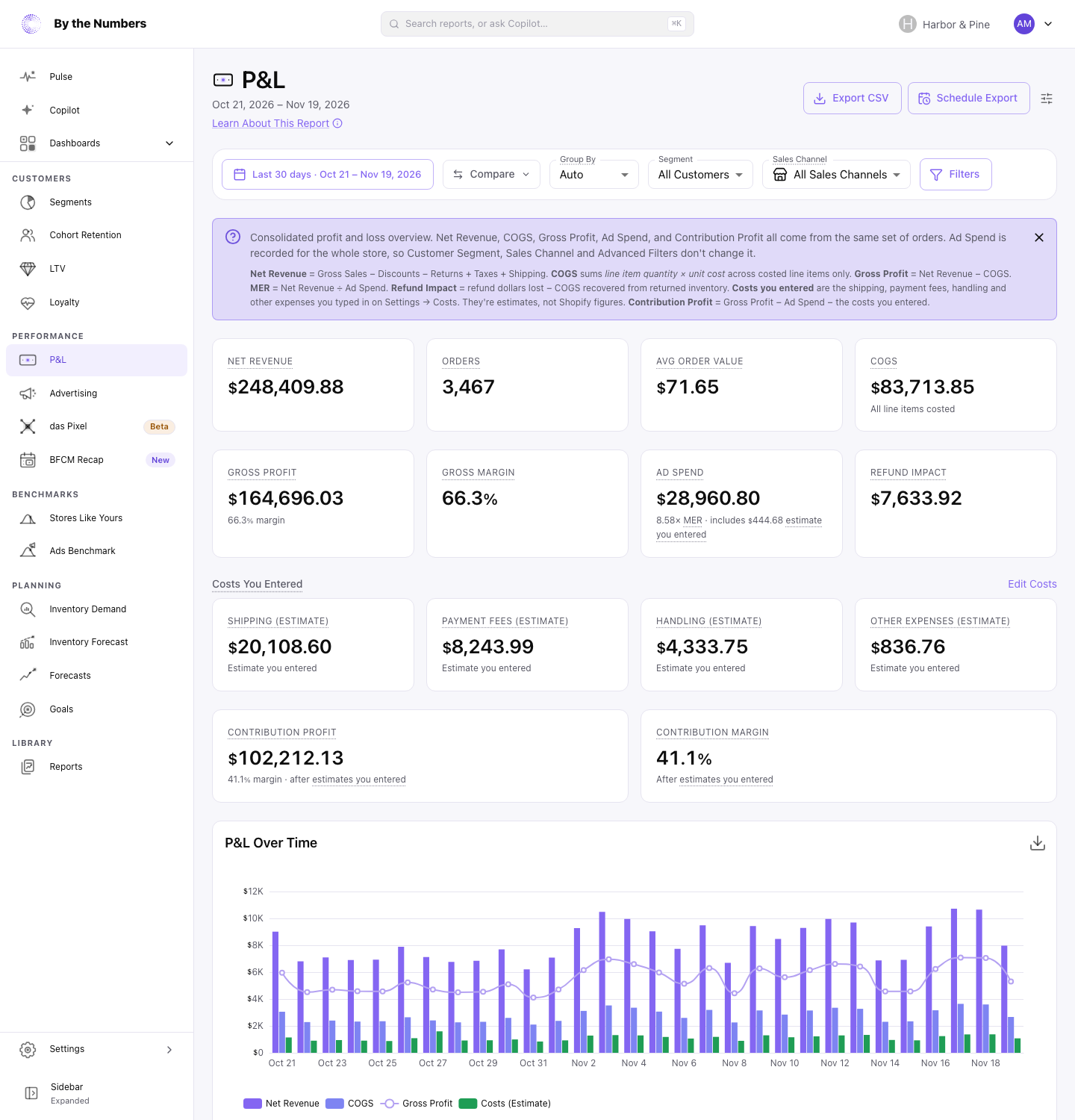
One statement takes COGS, ad spend, and the costs Shopify never sees off your net revenue. Each cost you enter stays labeled as an estimate.
- Net revenueShopify
- COGSShopify unit costs
- Gross profitNet revenue less COGS
- Ad spendConnected ad platforms
- 01
Shopify figures stay separate
Gross profit is net revenue less the cost of the goods you sold. Your estimates come off below it, on their own lines.
- 02
Missing costs show as missing
A cost you haven't entered reads Not entered, not zero. The COGS card shows the share of line items with a unit cost.
- 03
Estimates start when you say
Each one applies to orders from the date you set. Earlier orders carry none of it.
In the app
Each estimate is marked where you read it.
The same split runs through Profit by Product, Channel, and Country, Contribution After Ad Spend, and Copilot answers. With the das Pixel add-on, Meta and Google Ads can learn from what you made on each order.
What merchants say on the App Store
4.9 from 84 reviews on the Shopify App Store“I've used the data from BTN to adjust marketing messaging timing, adjust advertising spend to the most efficient campaigns, understand customer purchasing tendencies (bundling, etc), and even as a prompt to change the formulation on one of my products.”
“The reports are clear, quick to pull up, and go well past what Shopify Analytics gives you out of the box.”
“Being able to filter through years of sales and customer data is helping me to make better decisions about marketing and to be more efficient with my time and advertising budget.”
See your margin with the estimates labeled.
Install from the Shopify App Store, add your unit costs, and open the P&L. Profit reports are on each paid plan, from $19/mo.
Install free on Shopify60-second install · 14-day free trial · No credit card required