Is customer segment growth good news?

Customer segment growth tells you whether a group is getting larger or smaller. Read that change beside the group's value before deciding where to spend your attention. A growing group of loyal buyers calls for a different response from a growing group of customers drifting away.
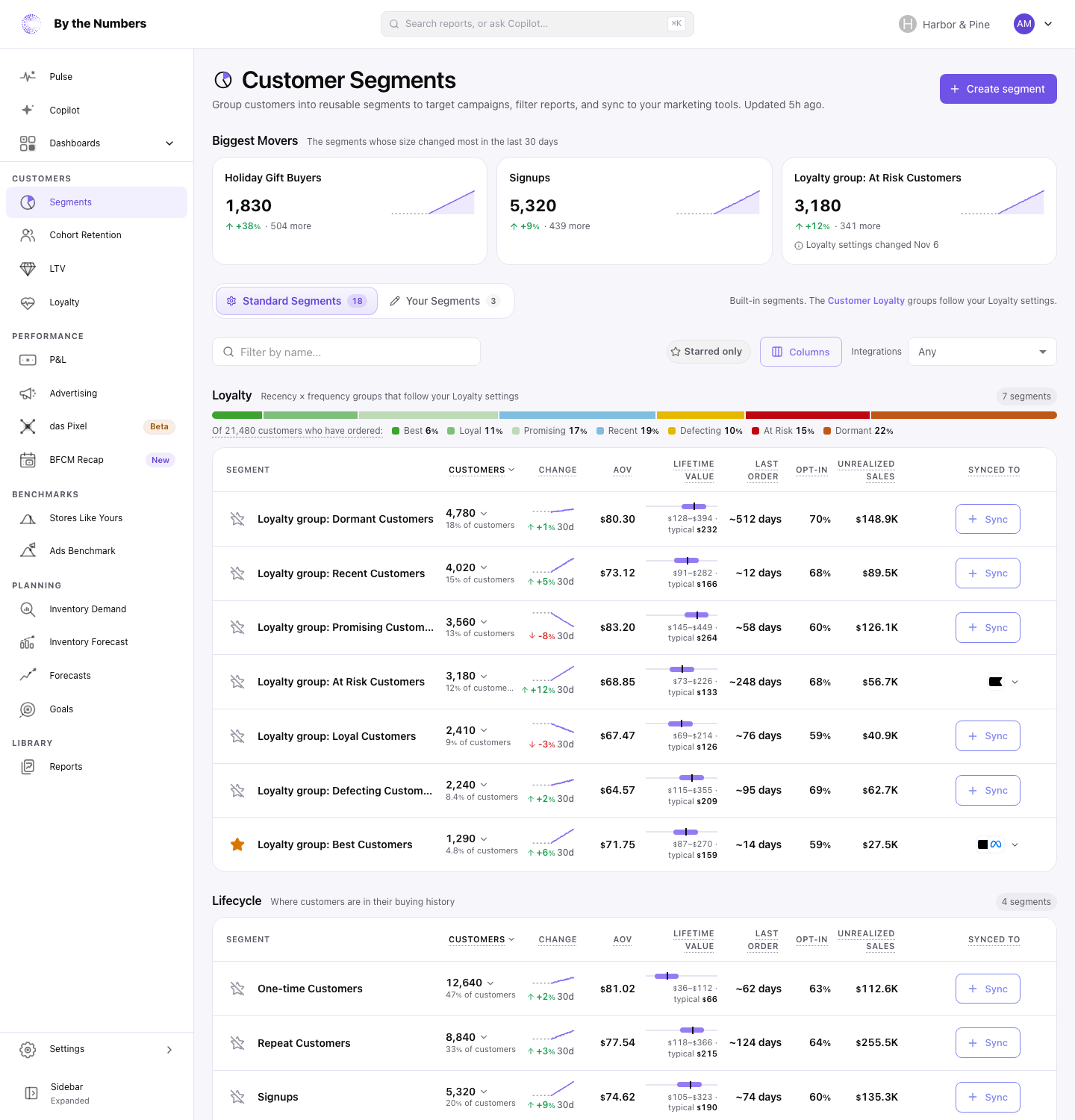
The Customer Segments page in By the Numbers now puts segment size, movement, and customer lifetime value together. Biggest Movers highlights the segments that changed most in the last 30 days. You can start with a change worth investigating instead of opening groups one at a time.
Read growth beside customer value
A larger segment is not automatically better news. What matters is which customers it contains and what you want them to do next.
A segment is a group of customers who share a characteristic, such as buying behavior. If you're still deciding which groups to use, start with our Shopify customer segmentation guide. For this review, choose a group with a clear purpose: customers you want to retain, understand, or bring back.
Read its size and movement alongside its customers' lifetime value. The page shows the typical customer's value and the range for the middle half of customers. That gives you more context than treating a group's headcount as its importance.
Consider a group of valuable repeat buyers that is shrinking. It deserves a closer look even when your overall customer total is growing. A larger group with lower customer value may call for a different offer or a smaller test.
The page also shows how long it has been since customers last ordered and the share who accept email marketing. Use those details to decide what question to ask next. Movement tells you where to look; it does not explain the cause or prove a campaign worked.
Start with the groups that moved most
Open Customer Segments and begin with Biggest Movers. It picks out the segments that moved most over 30 days, giving you a starting point for your review.
Then read the line under a segment's name. It explains what the group is, so you can put its movement in context before planning a response. A name alone may be too vague to tell you why a change matters.
Rest your pointer on a segment's customer count to open its card. The card shows its size, share, and a 90-day trend. Use the longer view to see whether the recent movement sits within a broader pattern.
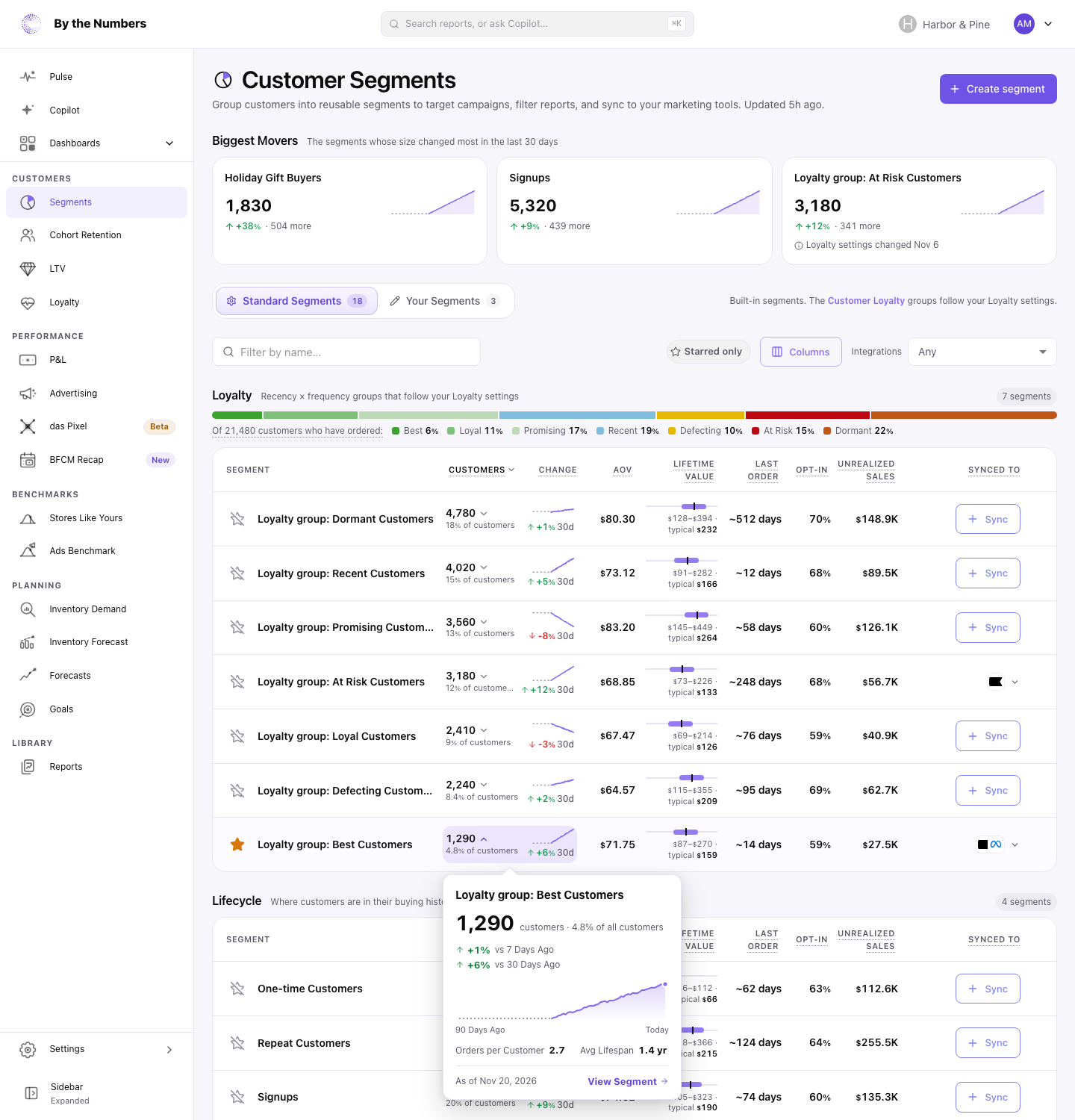
The same card appears on a Customer Loyalty tile and on a section of the loyalty mix bar. The bar shows how buyers split across loyalty groups. It offers another way to see which part of your customer base deserves attention.
Choose what to investigate next
Choose one question from the change you see, then decide on an action you can assess. A count change is a prompt to investigate rather than a reason to send a discount.
If a valuable group is growing, consider what would help those buyers keep purchasing. For repeat shoe buyers, useful care advice may fit better than another discount. If a group needing attention is growing, review its recent buying behavior before choosing a return offer.
The colors help you read direction in context: green or red reflects whether the change is good news. Read the group description as well as the color. A shrinking group can be welcome when it contains customers you want to move out of that situation.
For help choosing the groups themselves, compare customer segmentation models. To connect a group with an objective and a test, use the customer segmentation strategy guide. Keep the response specific enough that you can later judge whether it helped.
Keep the view focused
Hide columns you do not need for the question in front of you. You can also fold empty segments into one row. A shorter view makes it easier to concentrate on the groups you are reviewing.
The Segments Page With Trends help article has the steps for the card, columns, and empty segments. Use it when you want to adjust the page while working through your own groups.
If you're exploring the app, the customer segments feature page explains the wider segmentation tools. Start your review with one meaningful change, compare the group's value, and choose one question to investigate.
Keep reading
If you want the full picture on customer segmentation, start with customer segmentation for Shopify.
Related reading: Ecommerce Customer Segmentation by Store Size, Customer segmentation models compared and How to build a customer segmentation strategy.
By the Numbers builds this into the dashboard. See customer segments.
See what is working in your Shopify store
By the Numbers turns your store data into reports, segments, and forecasts.
- AI-powered analytics
- Customer segmentation
- Predictive forecasting
- One-click Shopify install